Darkkle
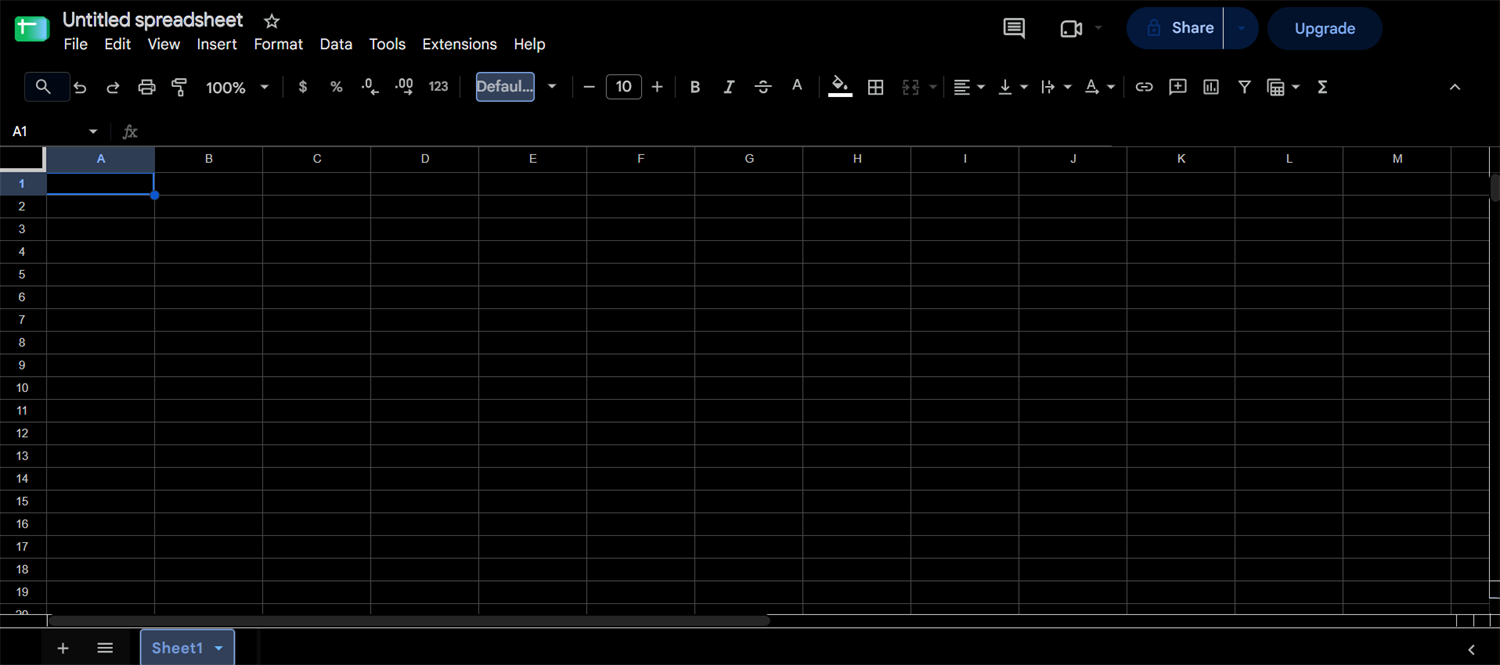
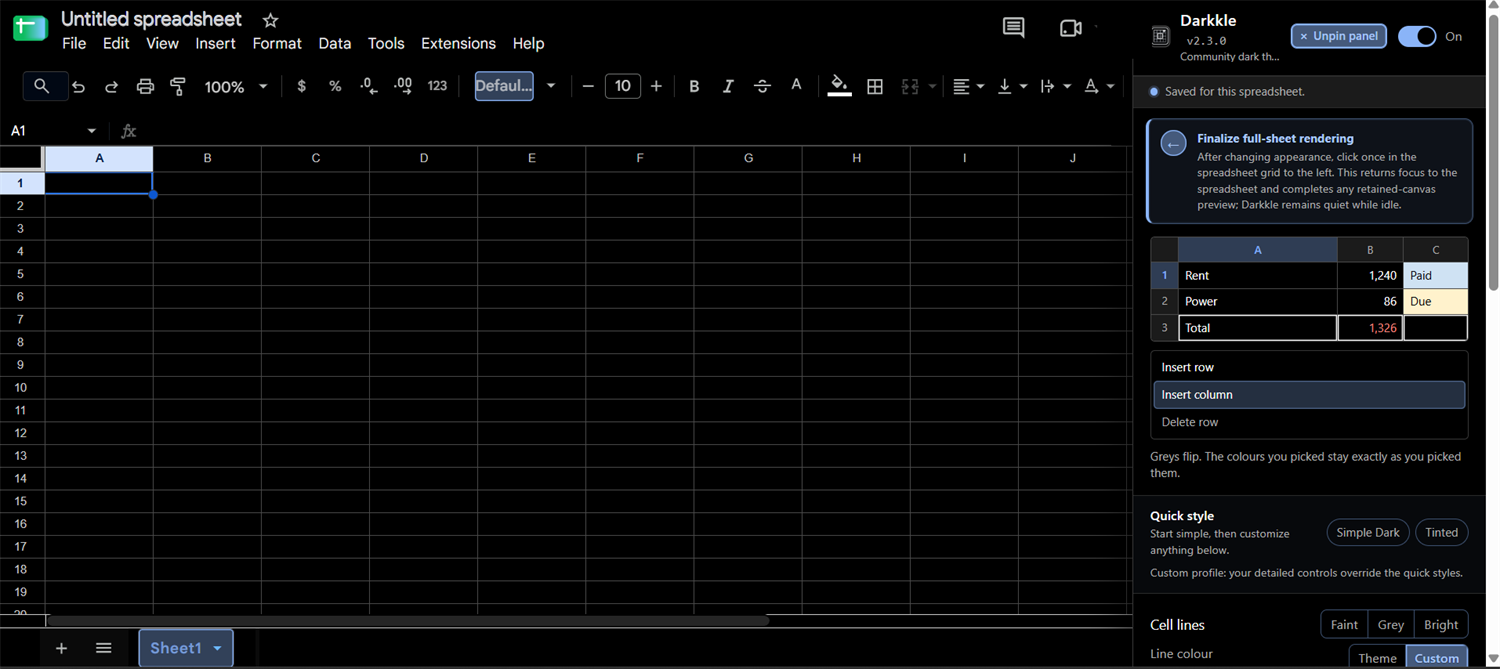
Darkkle is a free, open-source browser extension that gives the Google Sheets web app a true-black, configurable dark theme. It works in Chromium-based browsers such as Chrome and Edge, stores everything locally, and contains no analytics, advertising, or remote code.
Darkkle is maintained by volunteers. The repository owner may be unavailable for extended periods. Support, fixes, compatibility, reviews, and release dates are not guaranteed. Check whether a release is marked Pre-release before installing it.
What Darkkle looks like
Why a dedicated extension
The Google Sheets grid is drawn on an HTML canvas, not as ordinary styled page elements. Generic dark-mode extensions restyle the page around the grid but cannot recolour what the canvas paints, which leaves an unreadable white sheet inside a dark shell.
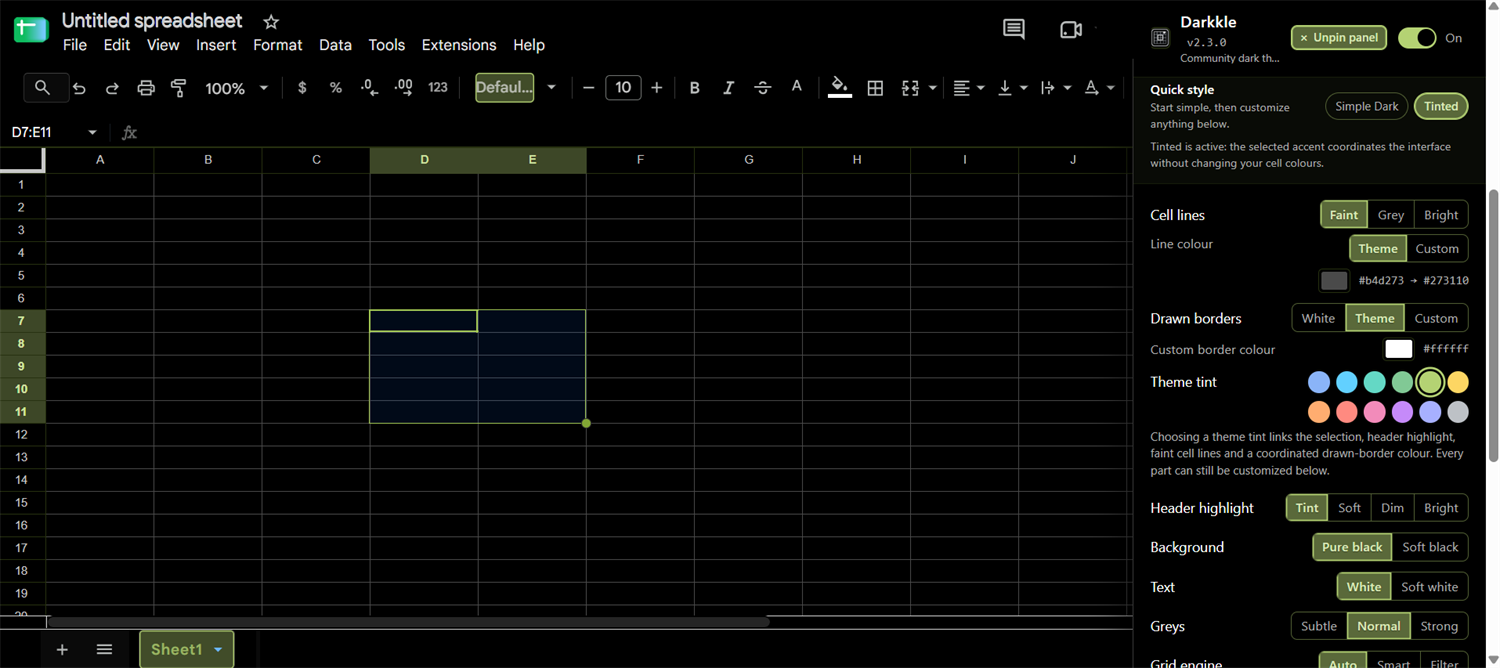
Darkkle hooks the canvas drawing operations directly. It recolours the grid, selections, gridlines, and row and column headers, while leaving cell fills and text colours you chose yourself recognisable.
What Darkkle does
- Applies a true-black or soft-black appearance to the spreadsheet.
- Coordinates selection, header, gridline, and border tints.
- Keeps a separate appearance profile for each spreadsheet.
- Exports and imports a portable JSON settings backup.
- Opens its settings panel pinned beside the spreadsheet.
- Handles canvas-rendered grid selections and row and column header highlights.
- Uses no developer-operated server, analytics SDK, advertising SDK, or remote code loader.
Install
- Open the Releases page and check whether the release is marked Latest or Pre-release.
- Download the
Darkkle-v…zipasset — not the repository source archive. - Extract it to a permanent folder.
- Open your browser’s extension-management page (
chrome://extensionsoredge://extensions). - Enable Developer mode.
- Choose Load unpacked and select the extracted folder containing
manifest.json. - Refresh any spreadsheet tabs that were already open.
Full instructions, including safe upgrades, are in the installation guide.
Privacy and permissions
Darkkle requests only the storage extension permission, plus narrowly scoped access to the spreadsheet web app, its embedded Google companion panels, and Google-hosted static stylesheets.
There is no account, no server operated by the project, and no telemetry. Settings live in your own browser. Because the rendering hook runs inside the page and observes canvas drawing operations, it may encounter rendered text during normal execution, but the project does not retain or transmit that content.
See the privacy summary and the permissions document.
Common questions
- What is Darkkle, and what does it cost?
- Which browsers does it support?
- Does it read or send my spreadsheet data?
- How is it different from a generic dark mode extension?
- Why is it not on the Chrome Web Store?
See the full FAQ, or how to get dark mode in Google Sheets for background on why this needs a dedicated extension.
Help improve Darkkle
Darkkle is intended to outgrow dependence on one person. Community members can reproduce bugs, test releases, improve accessibility and documentation, propose carefully scoped features, review code, and become trusted triagers or maintainers.
Licence and independence
Darkkle is distributed under the Mozilla Public License 2.0.
Darkkle is independent software. It is not affiliated with, endorsed by, or sponsored by Google. Google Sheets is a trademark of Google LLC and is referenced only to describe compatibility.